
Home » Download
CV9996 App Download for Fast, Trusted Play on Your Phone
Download the CV9996 app for faster logins, live cricket, and smart alerts
Get moving with a CV9996 app download built for quick access on data-saving plans. The app keeps things light, verifies your identity, and matches your account name to payment details for trust. Live cricket markets update fast, JILI slots load quickly, and notifications keep you in the loop without draining your battery.
Only use the CV9996 official site for the latest build, updates, and support. For added safety, confirm the app version before installing and use strong sign-in options for your CV9996 login. For the most reliable links and checks, use the CV9996 Main Site from your mobile browser.
Why the CV9996 app saves time and keeps you close to action
The app is built for BD mobile habits—fast entry, light data use, and simple controls. It lets you act quickly on match days and manage your account confidently on the go.
Fast sign-in with PIN, biometrics, and one-tap CV9996 login
Skip long forms. Use fingerprint, Face ID, or a 4–6 digit PIN for quick access. Set session timeouts for shared devices and add two-step checks for extra safety.
Live cricket odds, scores, and cashout built for match days
Follow pre-match and live cricket markets with quick refresh. Set alerts for price moves, wickets, or innings breaks so you can react in seconds.
Instant access to JILI slots and popular tables
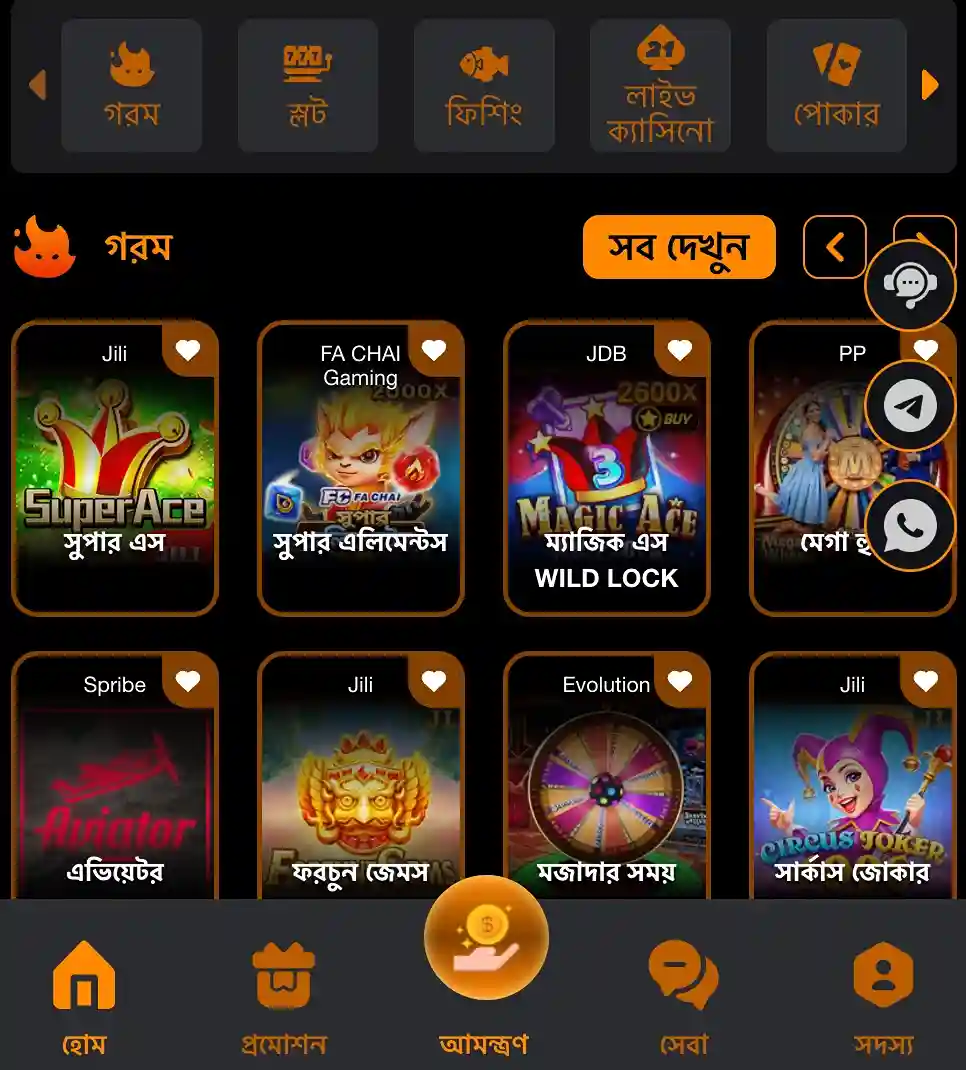
Open JILI titles fast and switch between slots and tables without heavy loading. Save favorites to jump back into your go-to games.
Clear controls for limits, bet history, and quick support chat
Review bets, set deposit or stake limits, and contact support from one place. Everything is designed for quick taps and short sessions.
Verified profile and payment-name match for smoother withdrawals
Run verification from your phone and keep your account name consistent with your payment name. This helps speed up payout reviews.
Step-by-step guide to download, install, and update the CV9996 app
- Open your mobile browser and visit the CV9996 official site from your phone.
- Find the App section and choose Android or iOS based on your device.
- Android: Tap to get the CV9996 apk. Wait for the file to finish downloading.
- Android: If asked, allow installs from your browser. Confirm the prompt and continue.
- Android: Open the file, review permissions, and tap Install. Launch the app when done.
- iOS: Follow the on-screen instructions. If the App Store or TestFlight is used, approve the install and trust the profile if prompted.
- Open the app and sign in or create your account. Set a PIN or biometric for faster entry.
- Check for updates in the app settings. Keep auto-updates on for security and new features.
Mobile features designed for speed, clarity, and match-day confidence on every network
- Fast, light interface built for short sessions and spotty connections.
- One-tap biometrics or PIN for quick entry and locked account recovery.
- Custom notifications for cricket events, price changes, and settlement alerts.
- Cleaner navigation with favorites, recent bets, and quick access to JILI slots.
- Low data mode to reduce images and background refresh when needed.
- In-app support chat and helpful tips for verification and limits.
- Match trackers, live scores, and cashout where available.
In-app bonuses, reload offers, and alerts tailored to local events
Turn on push alerts to get notified about app-only reloads, cricket tournament campaigns, and limited-time spins on JILI titles. Check the Promotions tab often so you never miss a CV9996 bonus or time-limited code tied to major series.
New to the platform? Look for the CV9996 welcome offer in the app after you verify your account. Opt in, meet the stated requirements, and track progress from the promo page for full transparency.
Downloading the CV9996 app: common questions and quick fixes for your phone
Where do I get the official CV9996 app?
Open the CV9996 official site on your phone and go to the App page. Choose your OS and follow the prompts to install safely.
Is the Android CV9996 apk safe to install?
Yes—if you download it from the official site. Check the file name and version, then install. Do not use third‑party mirrors or forwarded files.
Why won’t my Android phone allow installation?
Your browser may be blocked from installing apps. When prompted, allow installs from this source, return to the download, and try again.
How do I update the app to the latest version?
Open the app and look for an update prompt, or visit the App page again to reinstall the latest build. Your login and preferences will remain.
Can I register and get promos inside the app?
Yes. Create your account in-app, complete verification, and view active offers in Promotions. Keep notifications on to catch new CV9996 bonus updates.
Ready to install? Get the CV9996 app and start faster today
Make every over count. Download the app, sign in with biometrics, track cricket prices in real time, and spin JILI titles without waiting around.
New to the platform? Tap CV9996 Register after installation, verify your details, and set your limits. Keep notifications on for match-day prompts and payout updates you can trust.